
MX Player is Planet Earth’s best possible media app. It is easy to use, just like any media player but, unlike some other of its kind, it can play the full media file types with excellent sound and video quality. One of the best features of the MX Player is its gesture feature. To I’m going to share HEVC Codec For Mx Player.
I once had a field day streaming HD films without caring about the size of the files but now that Etisalat has shut down the service for a long time, I have returned to watching my data usage again.
I now focus on downloading HEVC formatted films because they come in high quality while keeping file size very low. Unfortunately there aren’t many video players out there that support this style. MX Player being the best android video player out there supports this format by default BUT it lags on certain devices unfortunately.
HEVC Codec For Mx Player
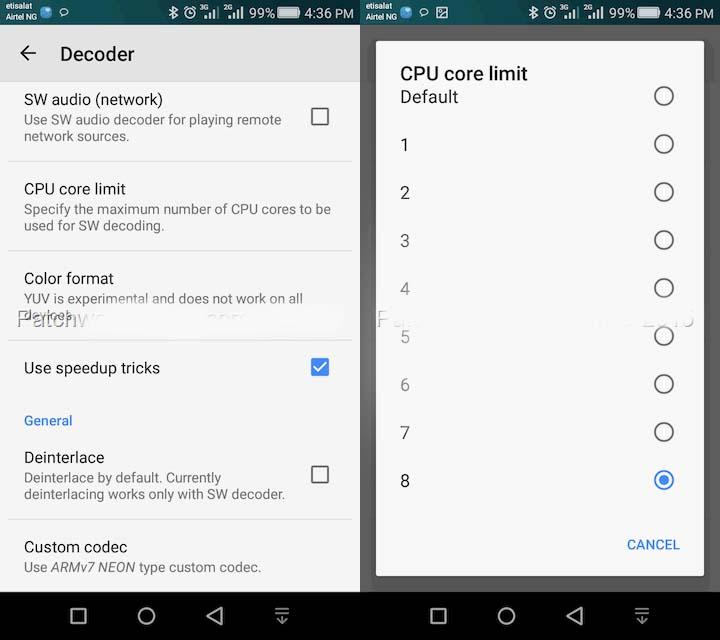
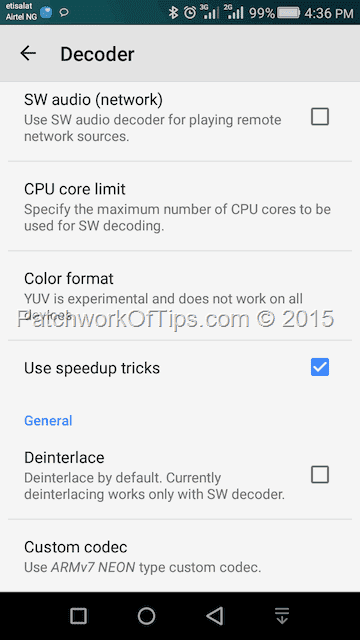
- To fix the lag issue simple go to Settings >> Decoder
- Click on CPU Core Limit
- For dual core devices set it to 2, quad core 4 and octa core 8
- Also tick Use Speedup Tricks and then reboot your devic
Now simply move the decoder from HW decoder to SW decoder when playing files like HEVC or MKV which lag.
HEVC/MKV files should now play well without lags.
NOTE:
Please also remember that switching from HW decoder to SW decoder would drain your battery far more quickly since SW decoding uses the CPU whereas HW uses the GPU of the computer. Increased use of the CPU = Increased use of batteries.
If this works for you or not please let us know. Thank you.
 Adda Tech
One thought on “HEVC Codec For Mx Player: Easy Guide To Play HEVC Videos”